Custom Events
For StopChurn to be able to receive and provide any events they first must be created on the Back Office platform.
Create Custom Events
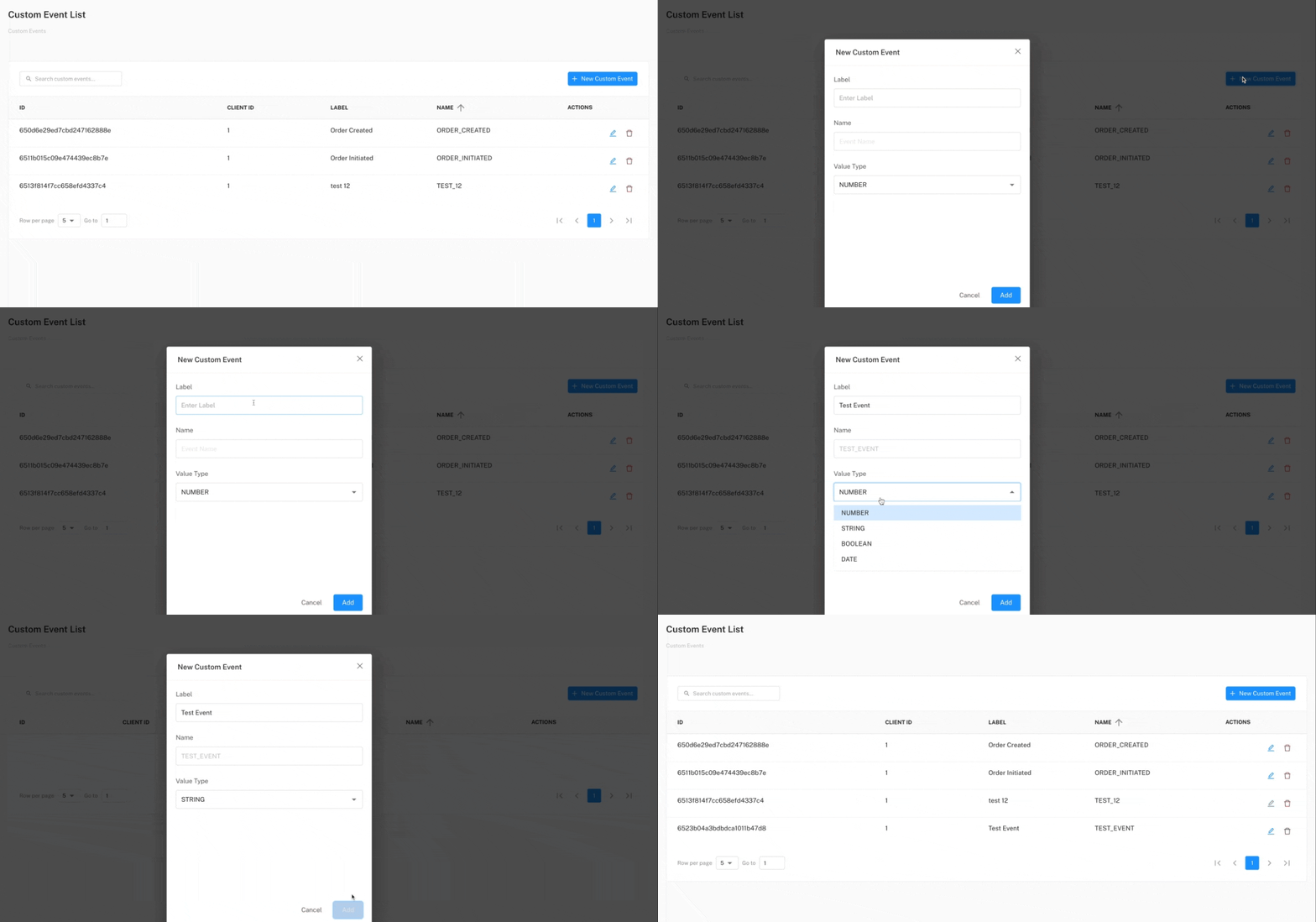
Each event consist of a few simple fields:
Label– Custom label only meant for display within the User Journey creation process.Name– Name of the event, which should be unique as it is used as a unique identifier when processing events within the StopChurn system.Value Type– As some events might have values attached to them we need to be aware of what is the type of the possible value associated with the event.
To create our custom events we simply need to navigate to Database > Table Definitions on the Back Office platform and create the event using the custom event modal.
Filtering Custom Events
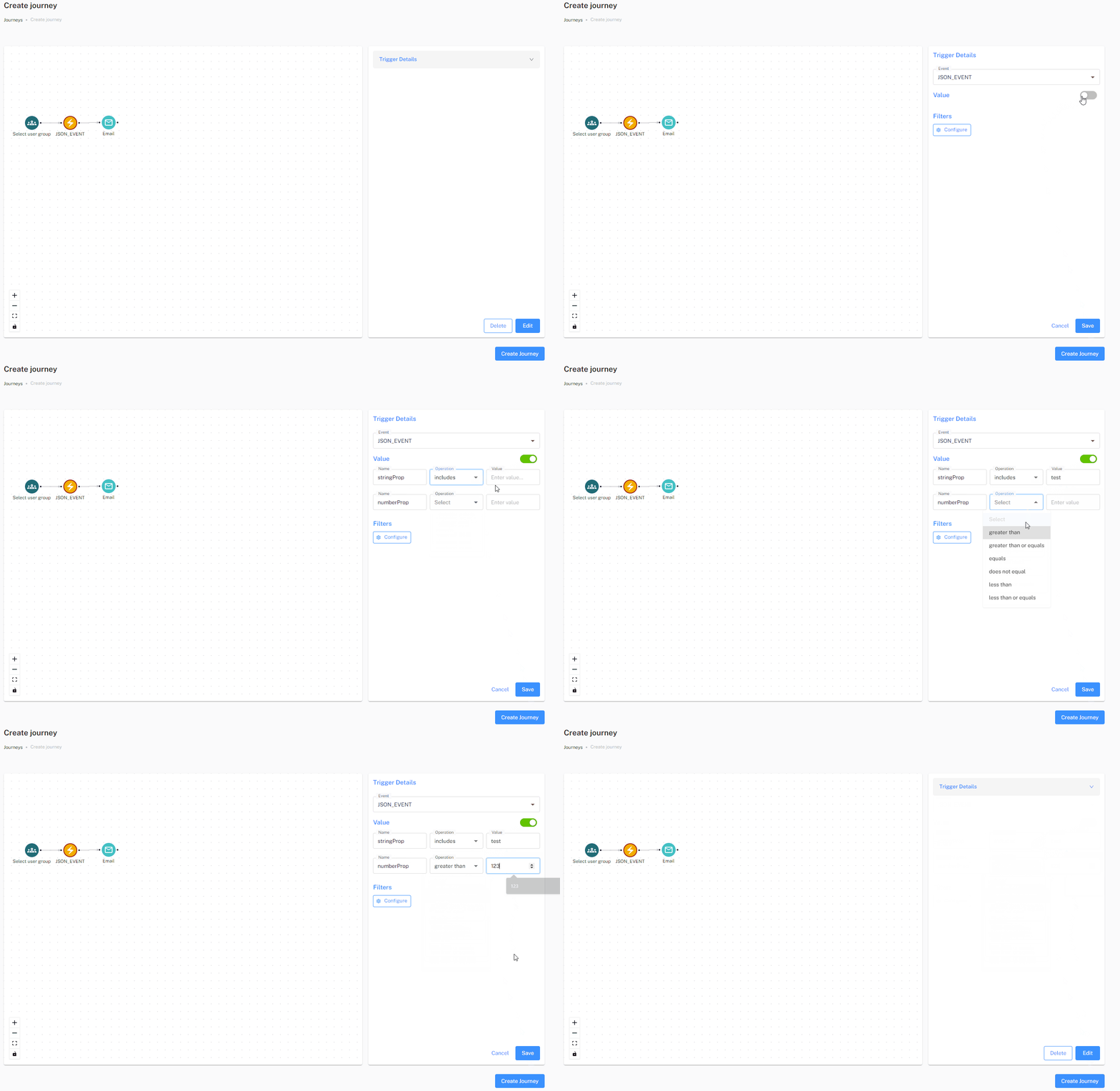
Events can be filtered by their value on the Trigger Details screen while creating journey.